
Supabase Row Level Security, Explained (and What Vibe-Coded Apps Get Wrong)
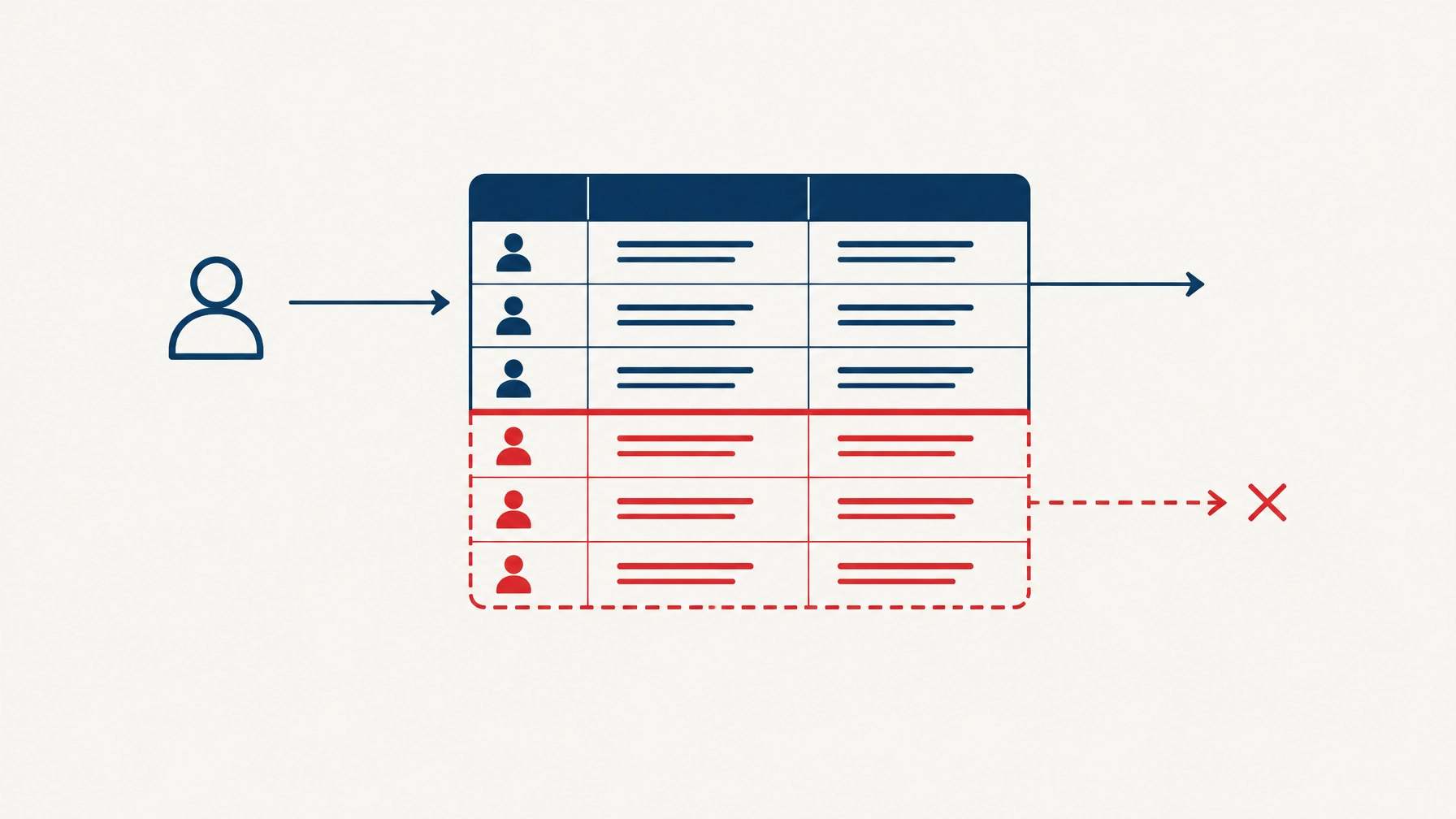
Supabase Row Level Security (RLS) is the rule inside your database that decides which rows a user is allowed to read or write. In an AI-built app, it may be switched off, too loose, or only half done.
That is worth checking, not panicking about. We use tools such as Lovable, Bolt, Replit, Cursor and Claude Code ourselves. They help you get a working app quickly. The tools write the code; our engineers answer for it.
A policy is an extra filter.
Imagine a todos table with tasks belonging to different users. A policy can make the database apply a filter whenever somebody queries that table:
create policy "Users can read their own todos"
on todos for select
to authenticated
using ((select auth.uid()) = user_id);
The policy acts like an extra WHERE clause. A request to read todos is effectively narrowed to rows where the signed-in user’s ID matches user_id. If another user’s rows are in the table, they are not returned to this user.
Supabase’s RLS documentation describes policies as rules that run when a table is accessed. They are enforced in the database, not just in the app’s screens. Hiding a menu item from a user is not the same thing: someone could still try to call the database directly.

RLS is not the same as permissions.
This is the distinction that is easiest to miss:
- Grants decide whether a database role can access a table at all, and which operations it can perform.
- Policies decide which rows that role can read or change.
Adding a policy does not remove a grant. On Supabase projects that retain automatic default grants, a new table in the exposed public schema can receive privileges for roles such as anon and authenticated. The defaults vary between projects, so check yours rather than assuming.
If RLS is switched off on a table that has the relevant grants, a request using the app’s publishable key can reach its data without a row policy filtering access. The publishable key is meant to be present in a client app; it is not a secret. That is why Supabase recommends enabling RLS on every table in an exposed schema and setting grants deliberately. Its separate guide to securing the Data API explains how the two controls work together.
The mistakes to look for.
AI-generated code can produce sensible-looking policies that do not match the real access rules your business needs. Check for these patterns:
- RLS was never enabled on a table created later. A builder may secure the first few tables and then add another one without enabling RLS. Check every table, not just the main user table.
- A broad
for allpolicy usestrue. That can give every role covered by the policy access to every row for every operation.truecan be right for genuinely public data, but it is not a safe shortcut for customer records. - The policy does not say
to authenticated. Without an explicit role, a policy applies toPUBLIC, potentially including signed-out visitors. Name the role, and grant only the operations it needs. - The update rule does not protect the resulting row. For an update,
USINGchecks which existing rows may be targeted;WITH CHECKchecks what the updated row may look like. PostgreSQL reusesUSINGas the check ifWITH CHECKis omitted, but relying on that implicit behaviour is easy to get wrong when the expressions differ or a policy changes. Be explicit when users must not be able to reassign a row to another user.
create policy "Users can update their own todos"
on todos for update
to authenticated
using ((select auth.uid()) = user_id)
with check ((select auth.uid()) = user_id);- The policy trusts
user_metadata. A user can edit their own user metadata, so it should not be treated as an authority for permissions. Use a trusted source for access decisions. - A view sidesteps the table’s rules. By default, a PostgreSQL view may run with its owner’s permissions and bypass RLS on the underlying tables. On PostgreSQL 15 and later, set
security_invoker = truewhen the view should respect the calling user’s permissions and policies. See Supabase’s views guidance. - A service key is in the browser bundle. The service role bypasses RLS. Keep service-role or secret keys on a trusted server, never in code shipped to a user’s browser.
- Policies loop back on themselves. If a policy on one table queries another table whose policy queries the first, PostgreSQL can raise
42P17, infinite recursion, and fail the request. - The policy filter has no useful index. If a policy checks
user_idon a large table, an index on that column can help avoid scanning rows unnecessarily. Correctness comes first; check query performance as data grows.
What happens when nobody is signed in?
auth.uid() returns null when there is no authenticated user. In SQL, a comparison such as null = user_id is not true: it evaluates to unknown, which does not pass a policy filter. So a policy matching a user ID silently matches no rows for a signed-out visitor.
That is usually the safe outcome for private data. An explicit auth.uid() IS NOT NULL check can make the intent clearer, especially to the next person maintaining the policy.
Check these eight things.
Before you launch, or before you widen access, work through this list:
- List every table in every exposed schema. Confirm RLS is enabled where it should be.
- Review grants and revoke operations each role does not need.
- Write separate policies for
select,insert,updateanddeleteas appropriate, rather than reaching forfor all. - Name the role with
to authenticated(orto anononly where signed-out access is intended). - For updates, make the old-row rule and resulting-row rule explicit with
usingandwith check. - Review exposed views. Confirm they use
security_invoker = truewhere they must follow the caller’s access rules. - Search the client code and built browser bundle for service-role or secret keys.
- Test as two different signed-in users and as a signed-out visitor.

Test what users can actually do.
Open two separate browser profiles, sign in to each with a different test account, and create a record for each. Try to read, change and delete the other account’s record. Then repeat the relevant checks while signed out.
For a technical team, Supabase documents a pgTAP approach. Tests can simulate the anon and authenticated roles and run with supabase test db against a local database. Write tests for both allowed and denied actions; a policy that looks right in a dashboard is not proof that it behaves as intended.
One detail matters: a blocked update can return no error while matching zero rows. That does not, by itself, prove the target record is still intact. Check the record afterwards as its owner. For a successful write, check that the expected row was actually returned or changed.
If you are not technical.
Ask whoever built the app:
- Is RLS enabled on every table exposed to the app?
- What stops one signed-in user from reading or changing another user’s records?
- Have you tested that with two separate accounts, including attempts to update and delete?
- Are there any service-role or secret keys in the browser code?
A good answer names the tables, explains the policies in plain language, and shows the test results. “The AI added security” is not a test result.
Why this matters to the business.
One misconfigured table can be the difference between a convincing demo and a data incident. The issue is often a small, fixable gap, but you need to inspect the actual app and test its access rules to know.
This is one part of broader Supabase security. RLS does not replace careful handling of keys, deployment, backups, or the rest of your application. And is vibe coding safe? It can be a sensible way to start building. Like any software, the result needs review before real users and business data depend on it.

Questions
Is RLS on by default in Supabase?
It depends how the table was created and your project settings. Tables created through the dashboard have RLS enabled by default; tables created through SQL or another tool may need it enabled explicitly. Check each table.
Do I need RLS if I only use the service key on the server?
The service role bypasses RLS, so server code using it must enforce access rules itself. Keep the key server-side and use carefully scoped user access for normal app requests where appropriate.
Can a view leak data even with RLS on?
Yes. A view may run with its owner’s permissions by default. On PostgreSQL 15 and later, use security_invoker = true when it needs to respect the querying role’s permissions and the underlying tables’ RLS policies.
Does RLS slow my app down?
It can add work to queries, particularly if policies filter large tables without suitable indexes. Measure the query and index the columns used by the policies where appropriate.
Can I fix this myself?
If you understand the access rules and SQL, you may be able to. Make changes in a migration, test them with separate users, and keep a way to roll back. If you are unsure what a policy allows, get an engineer to review it before relying on it.
Want a second pair of eyes?
Our free Snag Check asks about your app and sends you a Snag List by email. It does not inspect the app and is not a security assessment.
For an engineer to review the app itself, see Check my app: an App Health Check is £395 + VAT, and a Production Readiness Audit is £1,495 + VAT. An audit is not a penetration test, and nobody should guarantee that an app is secure. It gives you a scoped review, documented findings and practical next steps.